
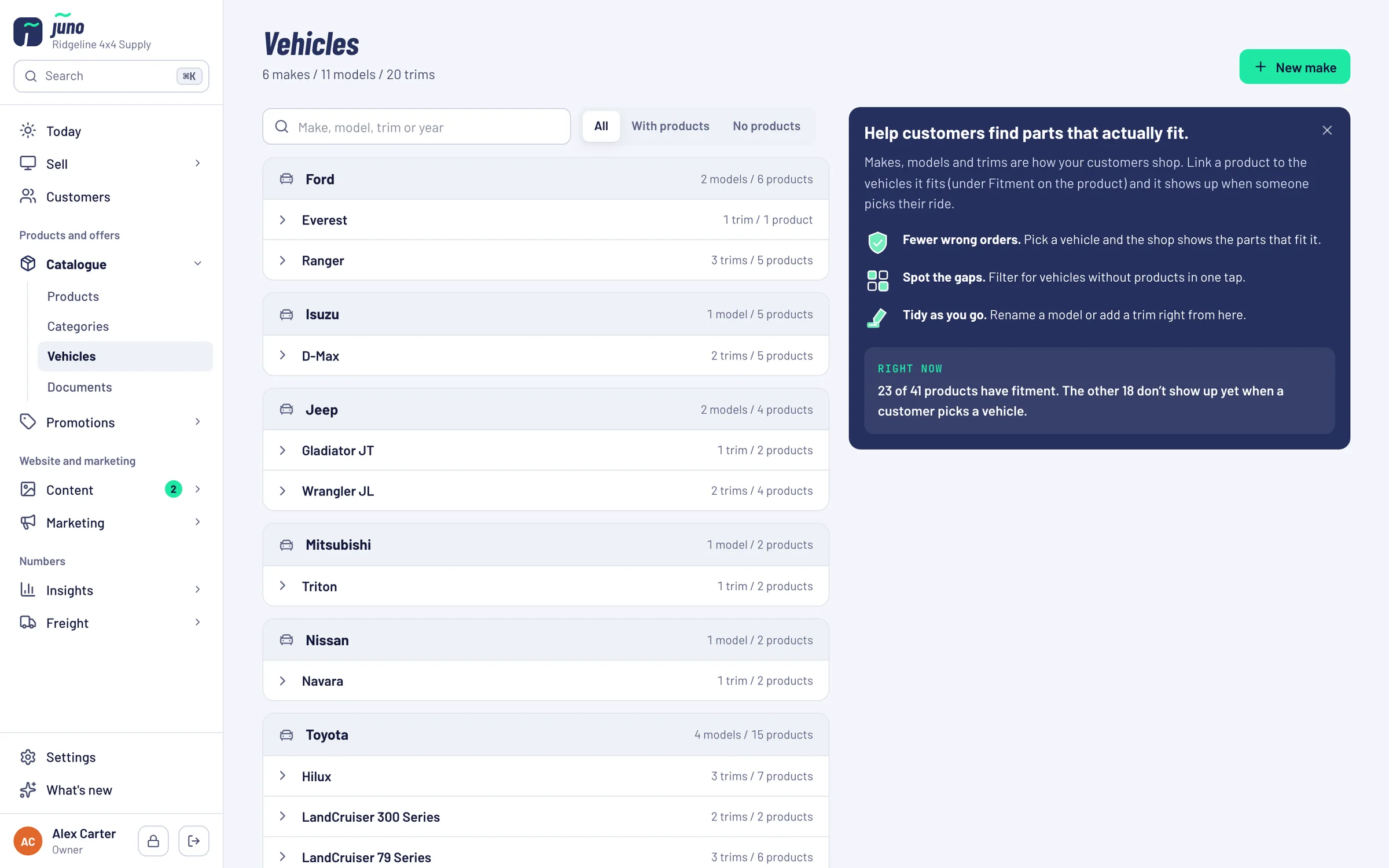
Help customers find parts that actually fit.
Makes, models and trims are how your customers shop. Link a product to the vehicles it fits and it shows up when someone picks their ride, on the website, at the counter and in your newsletters.
Customers ask by vehicle. Most shop systems answer by SKU.
"Does this fit my D-Max?"
If the product page can't answer it, the customer calls, emails or buys somewhere that can.
Wrong part, return freight
A rack for the wrong model comes back at your cost, and the customer is still waiting for the right one.
Gaps nobody sees
Which vehicles have nothing linked? Without a list, popular models go without parts on the website.
Fitment data that works everywhere you sell.
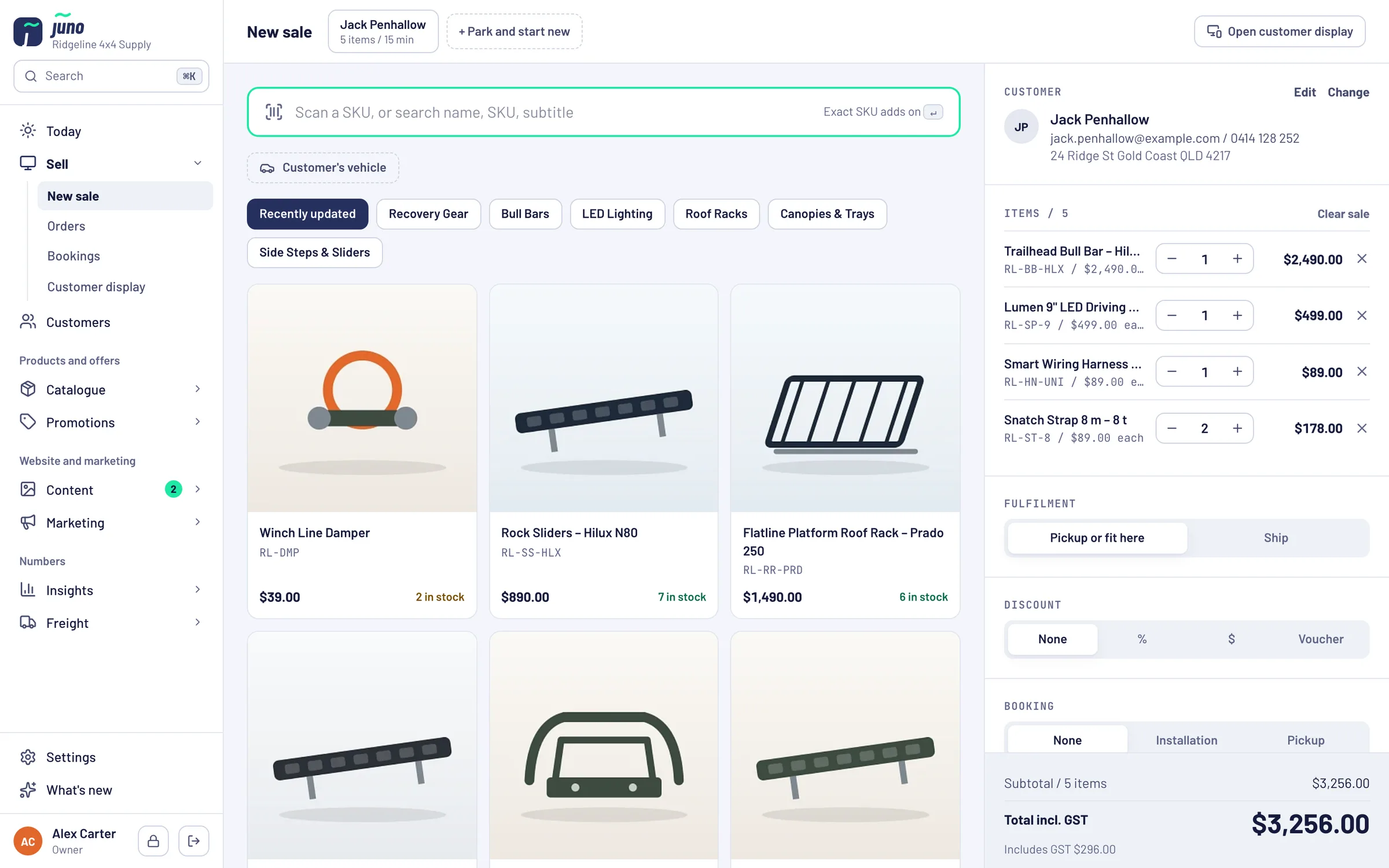
Link products under Fitment on the product. The same links drive the vehicle filter in your shop, New sale at the counter and the "For your vehicle" newsletter block.
Make, model and trim
Pick a vehicle and the shop shows the parts that fit it. Rename a model or add a trim right from the Vehicles page.
Customers save their vehicle
Customers keep their vehicle in the garage of their shop account, so the right parts are one click away.
Spot the gaps
See how many products have fitment, and filter for vehicles without products in one tap.
For your vehicle
Every newsletter reader can get the parts that fit the vehicle in their garage, and you can send to owners of a certain vehicle.
Real rigs, sorted by make
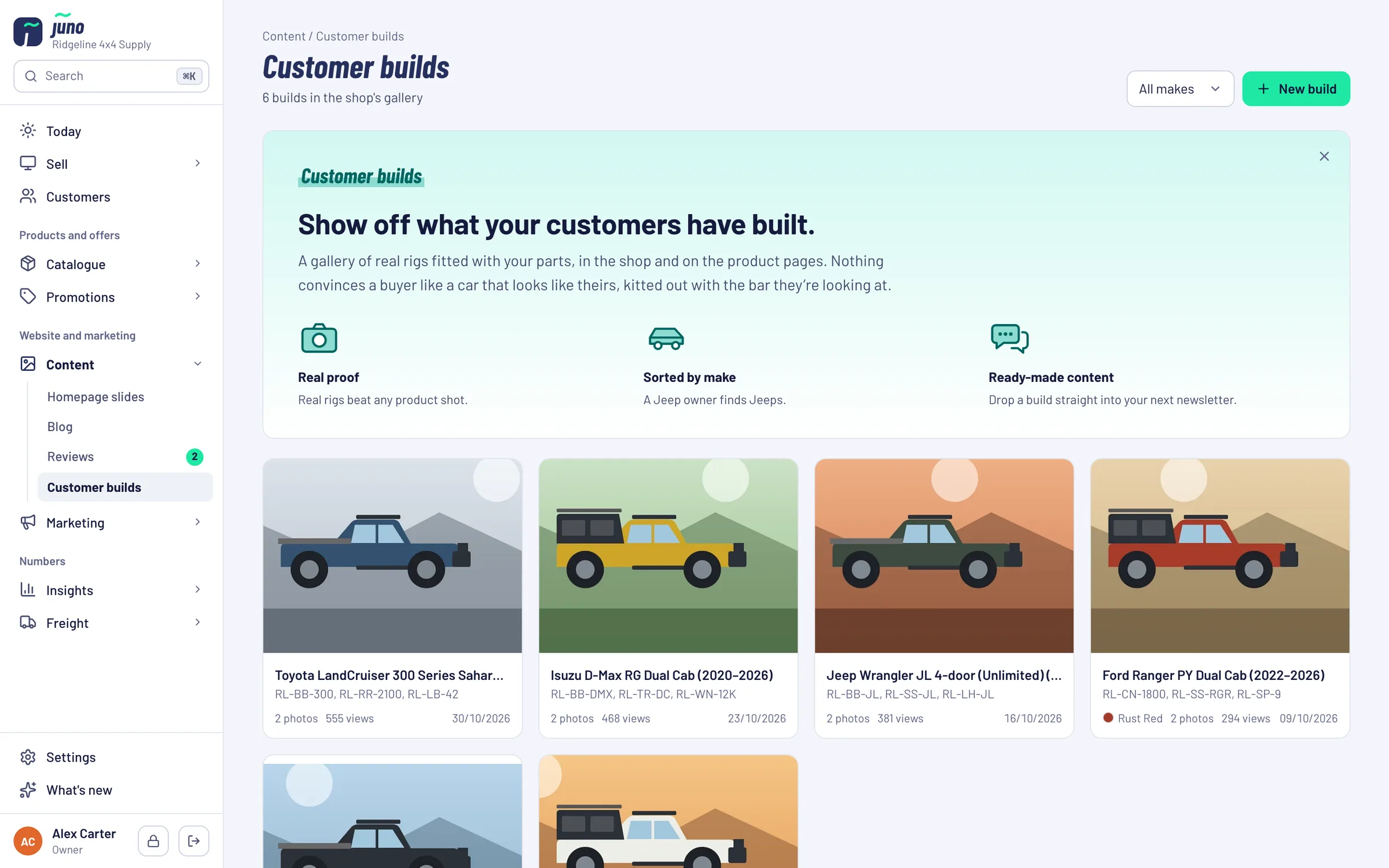
A gallery of customer vehicles fitted with your parts. A Jeep owner finds Jeeps. Drop a build into your next newsletter or use it for an ad.
Vehicles, products and the builds that prove it.
Link once. Use it everywhere.
- STEP 1 / SET UP
Your vehicle list
Makes, models and trims your customers drive, tidied up as you go.
- STEP 2 / LINK
Link products to vehicles
Under Fitment on each product. The Vehicles page shows what each vehicle has, and what it is missing.
- STEP 3 / SELL
Shop, counter and email
Customers filter by vehicle, staff use the same filter at the counter, newsletters pick the right parts.
Want fitment data handled for you?
Partners get vehicle selector, fitment data and product content across every SKU, as part of a store we build and run for them.
Just want Juno? Book it on its own: Pricing on request.
Book a Warehouse Walkthrough →Questions about Vehicles
short answers, no small printThe vehicle filter and the garage are part of the storefronts we build on Juno. The fitment data itself is kept in Juno.
In Juno, in newsletters and as references for ads. The gallery on the website is part of the storefront, so it's set up per shop: ask us what yours would have.
Products are linked under Fitment on the product. Already have fitment data somewhere else? Ask us in the demo how to bring it over.
Juno is included in the Growth Partnership at no extra cost. You can also book it on its own: pricing is on request, because it depends on your shop and what we connect. Ask us in the demo.
Show customers what fits their rig.
In the demo we pick a vehicle and follow it through the shop, the counter and a newsletter.