Make your Neto products look stunning.
Stop uploading products on plain white backgrounds. Upstager connects directly to your Maropost (Neto) store and places your products in staged, professional scenes, ready for your approval.
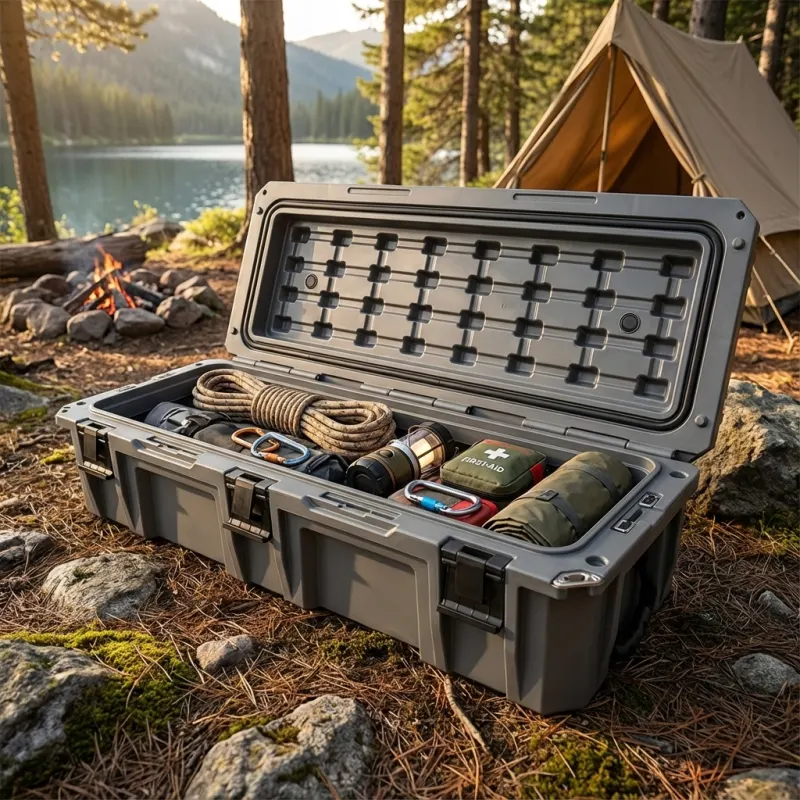
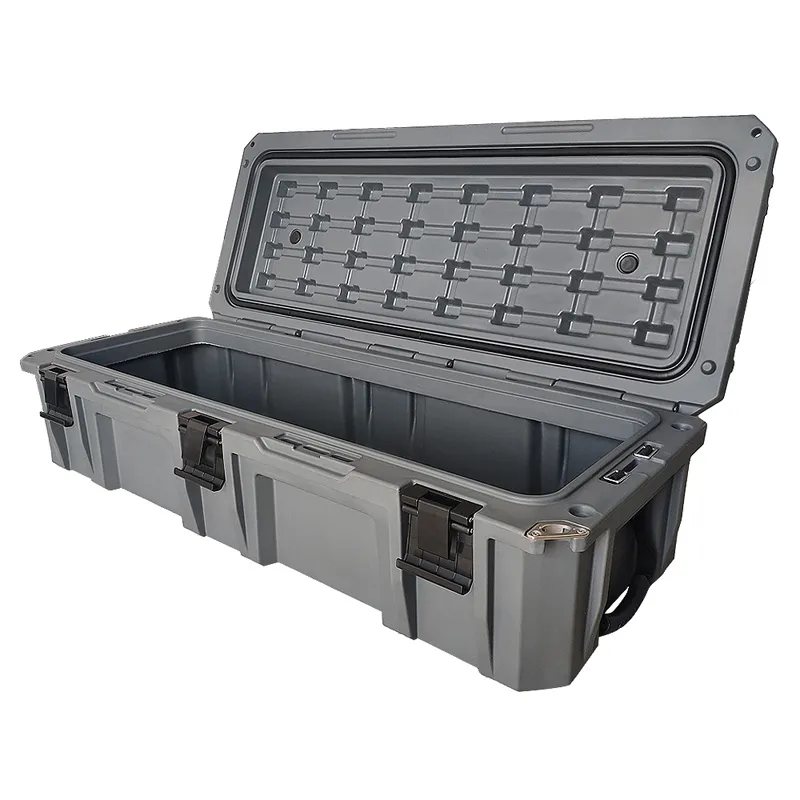 Supplier imageUpstager scene
Supplier photos make every store look the same.
5,000 SKUs, no photographer
You can't hire a photographer for every product in the catalogue, so the manufacturer's photo on a white background goes up instead.
The same photo as every competitor
Every store selling that part uses the same supplier image. Nothing makes yours stand out, and shoppers bounce to compare prices.
Duplicate images hold you back
Identical imagery gives Google no reason to prefer your listing. Unique product images help you stand out on Google Shopping.
We don't just remove the background.
Upstager understands the shape of your product. Whether it's a bullbar on a muddy track or a storage box at a campsite, the lighting and shadows are generated to match the scene.
Works straight from your Neto catalogue
Upstager shakes hands with your inventory, pulls the plain photos, gives them a makeover and sends the approved ones back. No downloading, no re-uploading.
Light and shadow that match the setting
Products are placed into the scene, not pasted on top, so the result looks like a real photo shoot.
> storage box / campsite / morningYour team's own photo templates
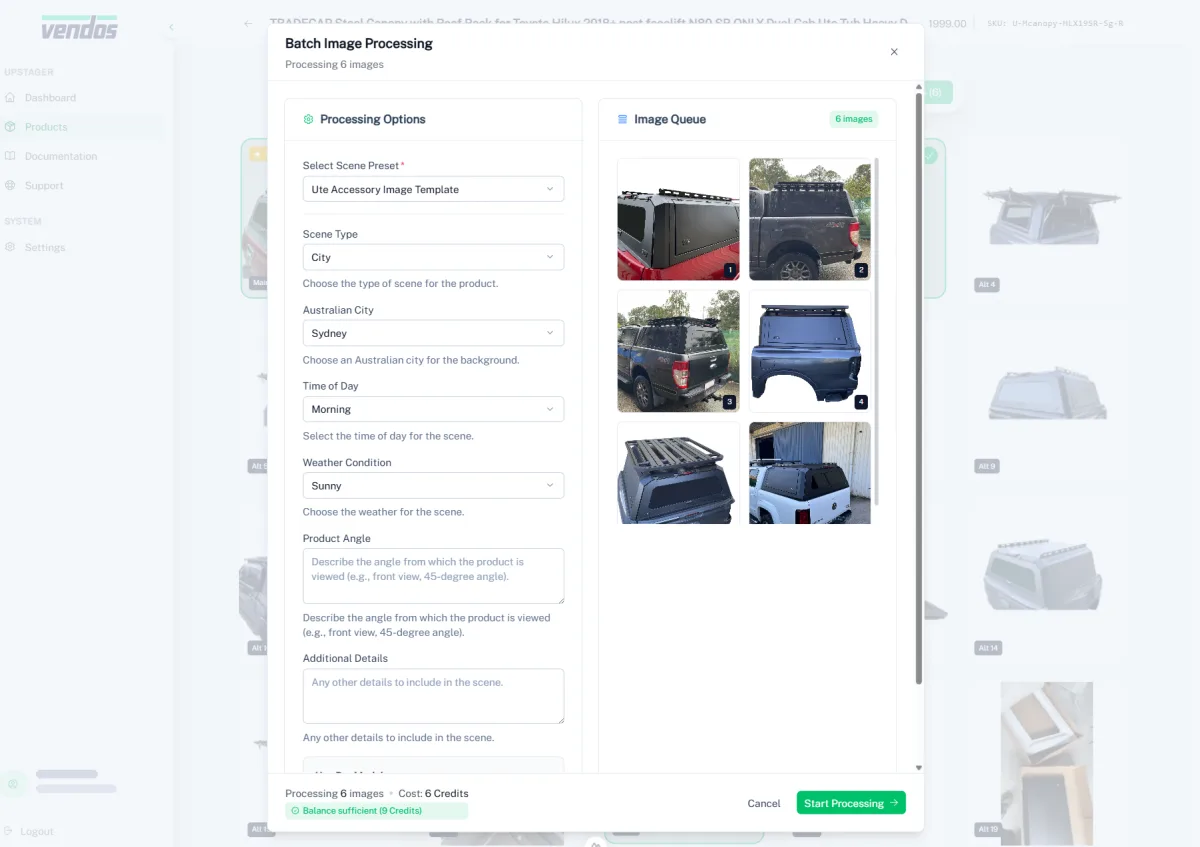
Describe what you want and the Preset Assistant builds a reusable form with variables like scene, city, time of day and weather.
> {Scene} / {City} / {Time of day}Whole collections in one click
Got 50 new arrivals? Apply a preset to an entire product group instead of doing them one by one.
> enhance 7 images / Ute Accessory presetNothing uploads without your OK
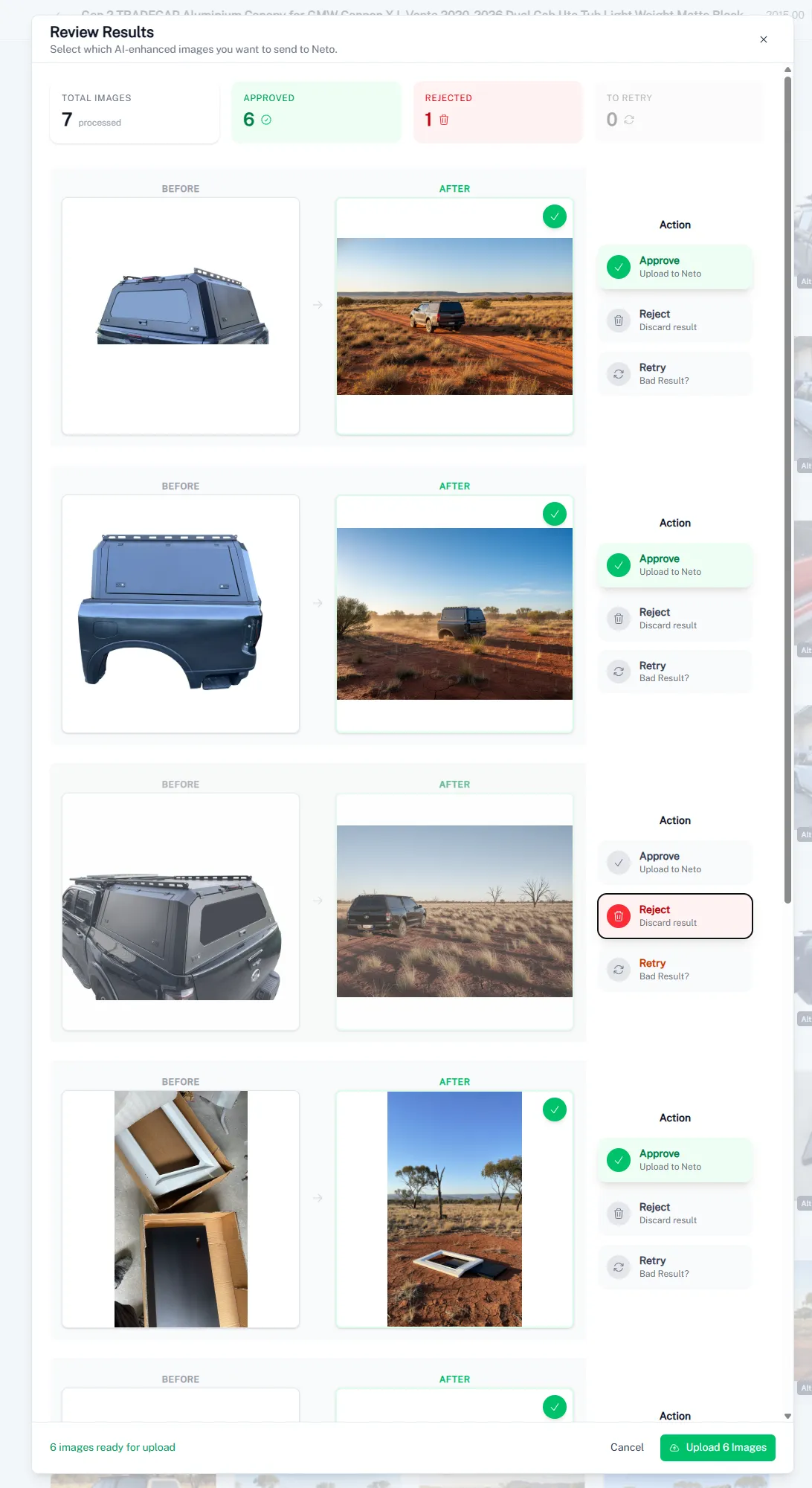
Approve, reject or retry every result before it goes back to your store.
From plain photo to approved scene, in four screens.
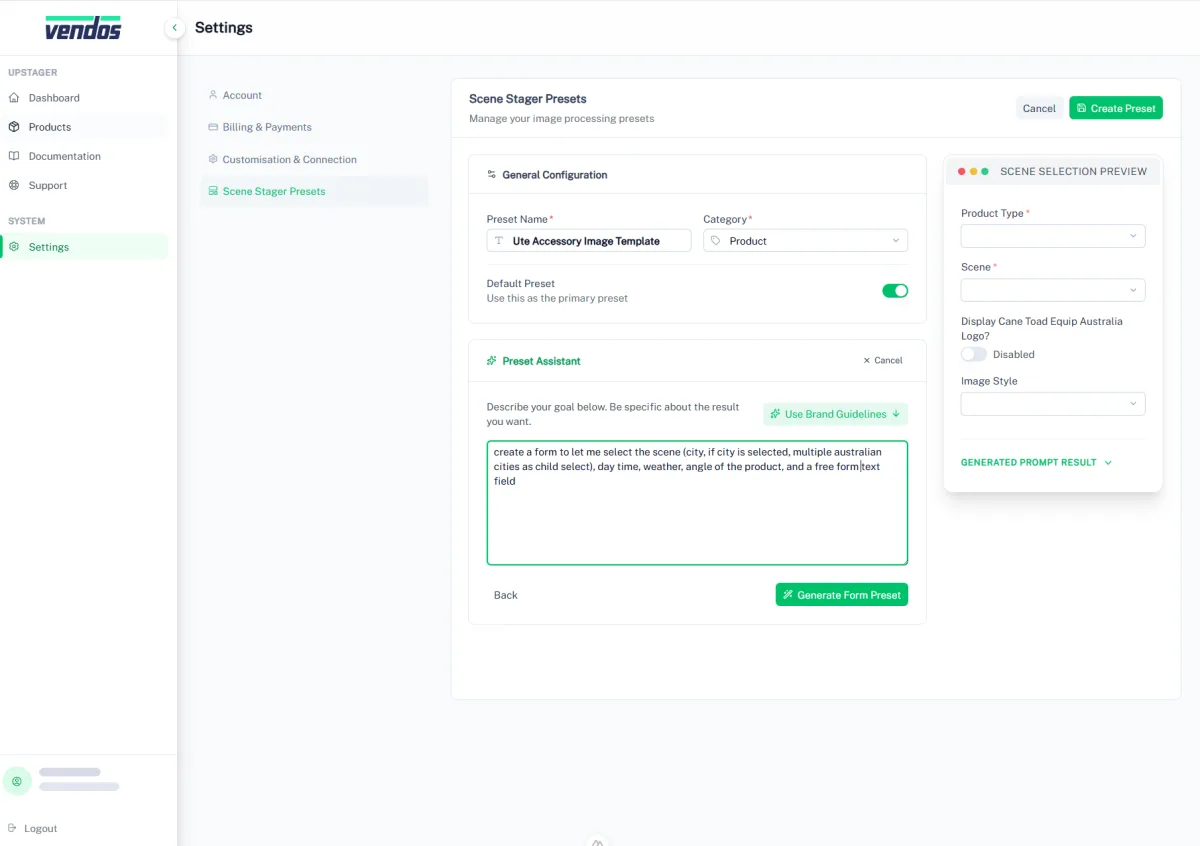
Build a preset
Describe the scene options you want. The Preset Assistant builds a reusable form for your team.
Screenshot from the live app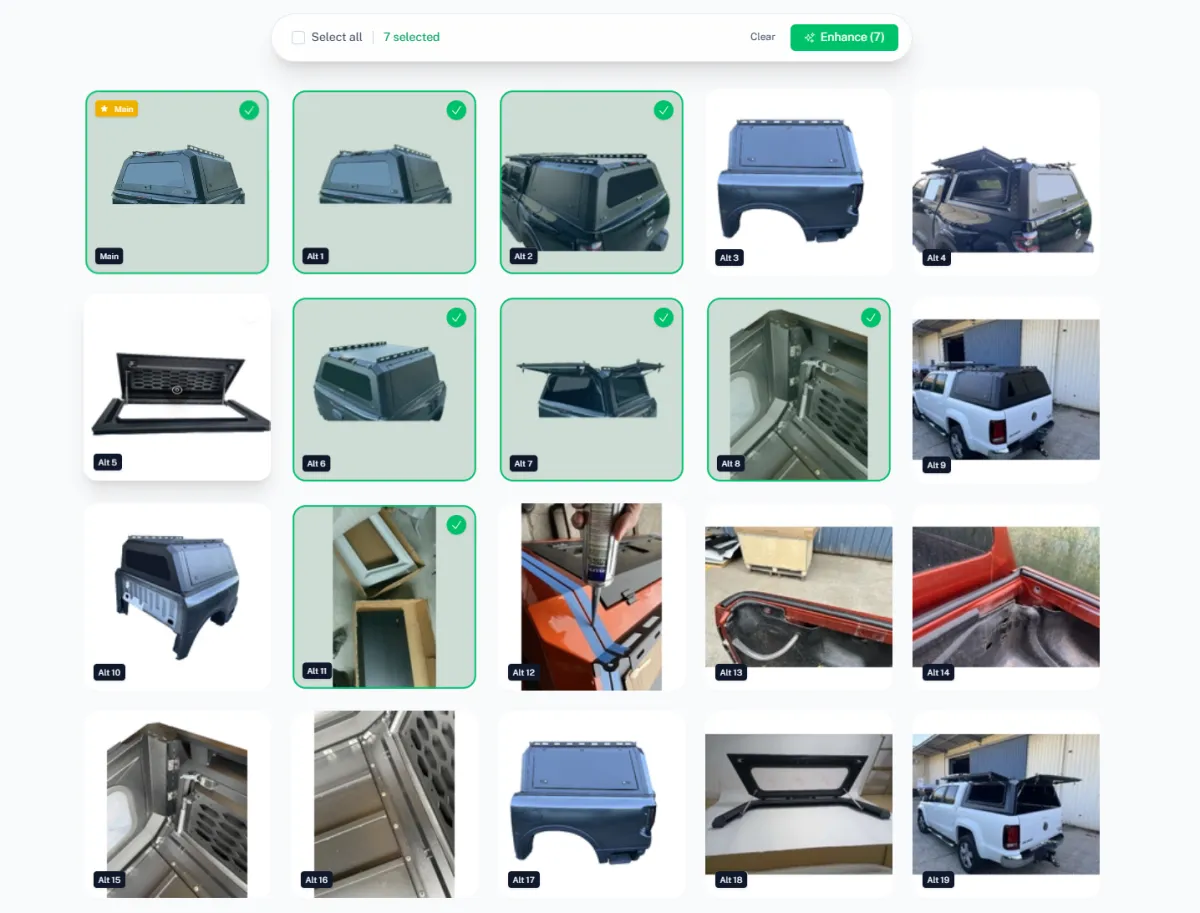
Connect once. Then stage in batches.
- STEP 1 / QUICK SETUP
Connect your Neto store
Register, add your Neto API key and website URL. Upstager fetches your catalogue straight away.
- STEP 2 / ONE CLICK
Pick images and a preset
Select a product, a few angles or a whole group, choose a Scene Preset and start the batch.
- STEP 3 / YOU APPROVE
Review and upload
Approve, reject or retry each result. Only approved images are sent back to your Neto store.
Your first 50 images are on us.
Register, connect your Neto API key and watch your first products get staged. If it doesn't earn its place, you haven't spent a cent.
Want staged imagery as part of the whole store?
Partners get product imagery, copy and data handled across every SKU, as part of a store we build and run for them.
Book a Warehouse Walkthrough →Questions about Upstager
short answers, no small printUpstager connects to Maropost (Neto) through your Neto API key. Other platforms aren't supported yet.
One credit processes one image, and new accounts get 50 to start. No credit card is needed to register.
No subscription. When your credits run low, top them up by card through Stripe and pay only for what you use. For Growth Partnership clients, Upstager is included at no extra cost.
It's in beta. Everything on this page works today, and we're still adding features based on feedback from the stores using it.
No. Every result waits in a review screen where you approve, reject or retry it. Only approved images are uploaded to Neto.
Upstager is built for photo volume: it works through your Neto catalogue and stages whole collections in batches with reusable presets. AdHoc is the all-round assistant for copy, sales, invoices and stock questions, and can stage the odd photo by prompt.
Ready to stage your inventory?
Get your first 50 images processed for free. Register, connect your Neto API key and see your own products staged.