The digital trade desk.
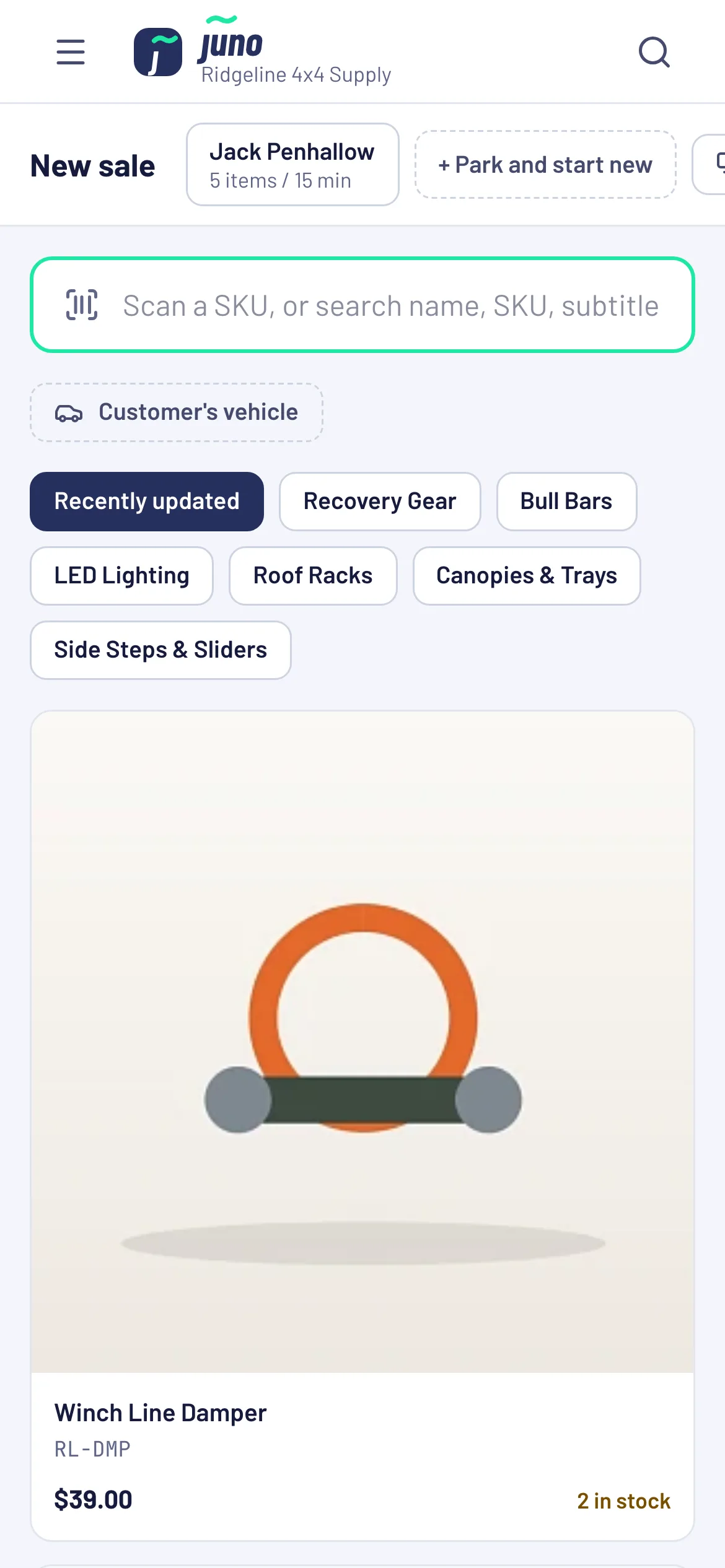
Stop writing invoices on paper. Juno puts your online store at the counter: find the part by vehicle, take a payment, a deposit or send a pay link, and the customer gets the tax invoice by email.
You aren't selling coffee. Generic POS wasn't built for parts.
Paper invoices, typed up twice
Sales get written on paper at the counter, then keyed into the system later. Double the work, and double the chance of a mistake.
"A roof rack for a 2023 Hilux"
Customers ask by vehicle, not by SKU. Generic POS systems only know SKUs, so your team ends up guessing what fits.
Two stock counts, one shelf
When the counter and the website keep separate stock, somebody sells the last canopy twice and makes the awkward phone call.
Your online store's brain, at the counter.
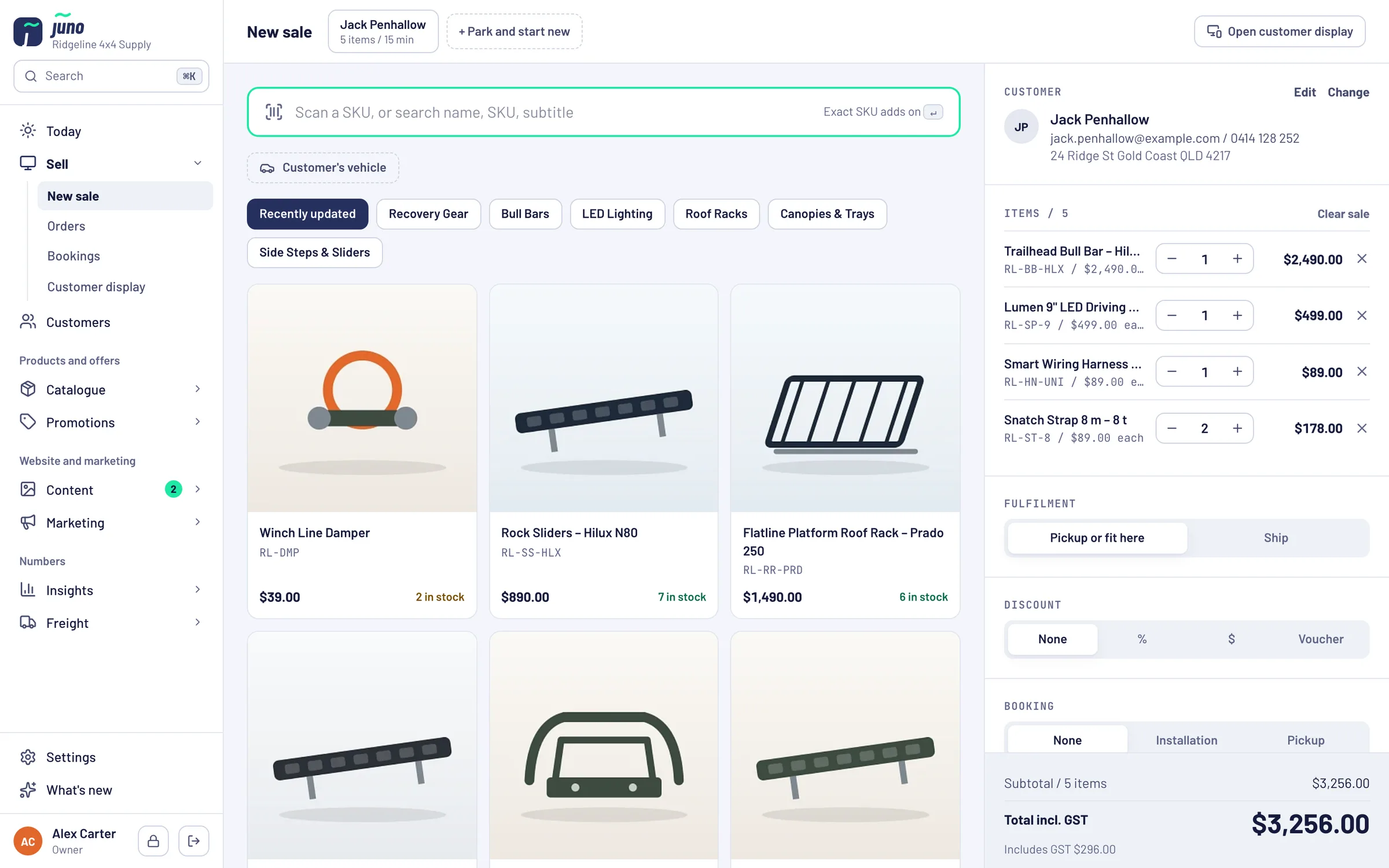
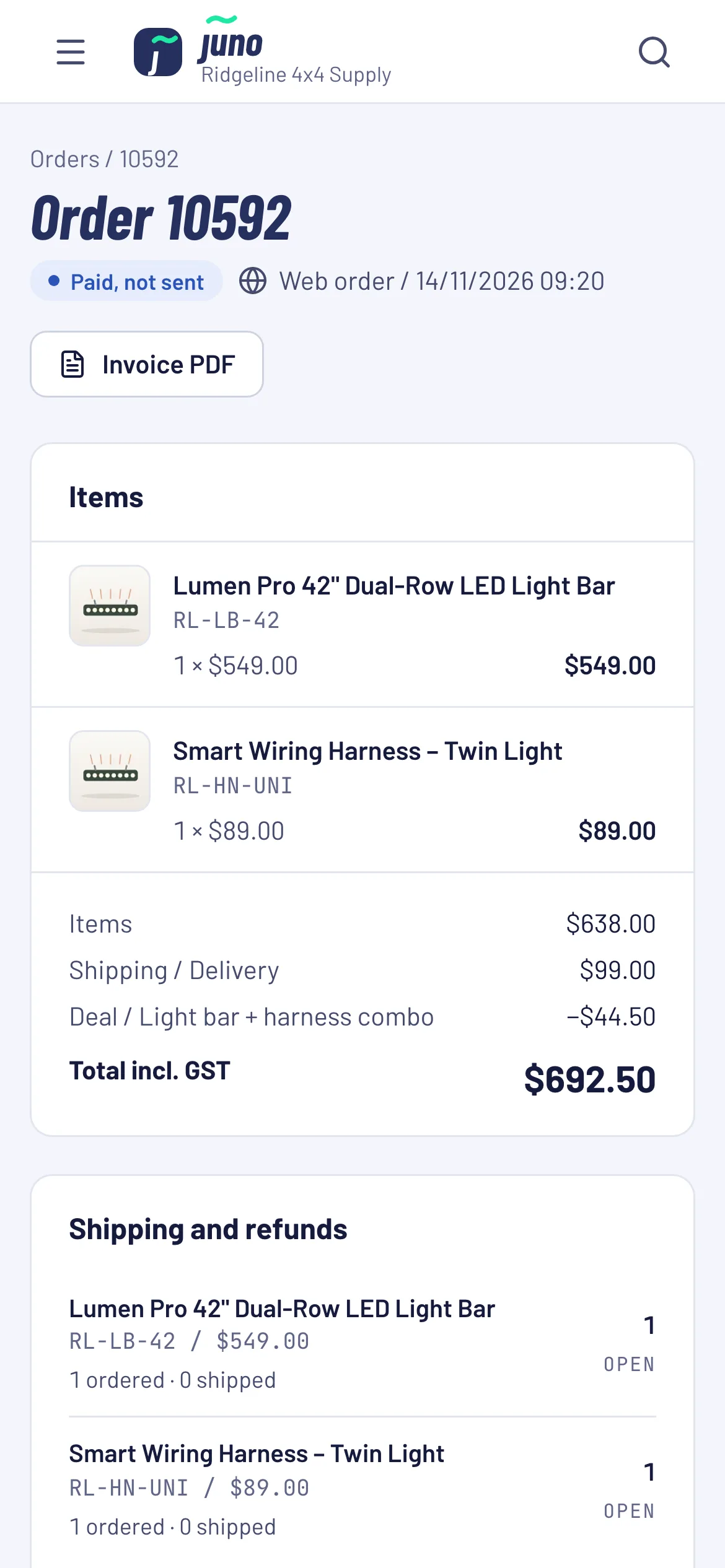
The same products, fitment data, customers and stock as your website. Every sale becomes a proper order with a tax invoice, so nothing needs typing up at the end of the day.
Find the part by vehicle, not by SKU
Pick make, model and trim right in New sale and Juno shows the parts that fit. It is the same fitment data that drives the vehicle filter in your online shop.
Counter and website sell from the same shelf
On Neto, every counter sale goes into Neto as an order, and Juno refreshes stock and prices from Neto every 15 minutes. Without Neto, Juno keeps the stock itself and counter sales take it straight away.
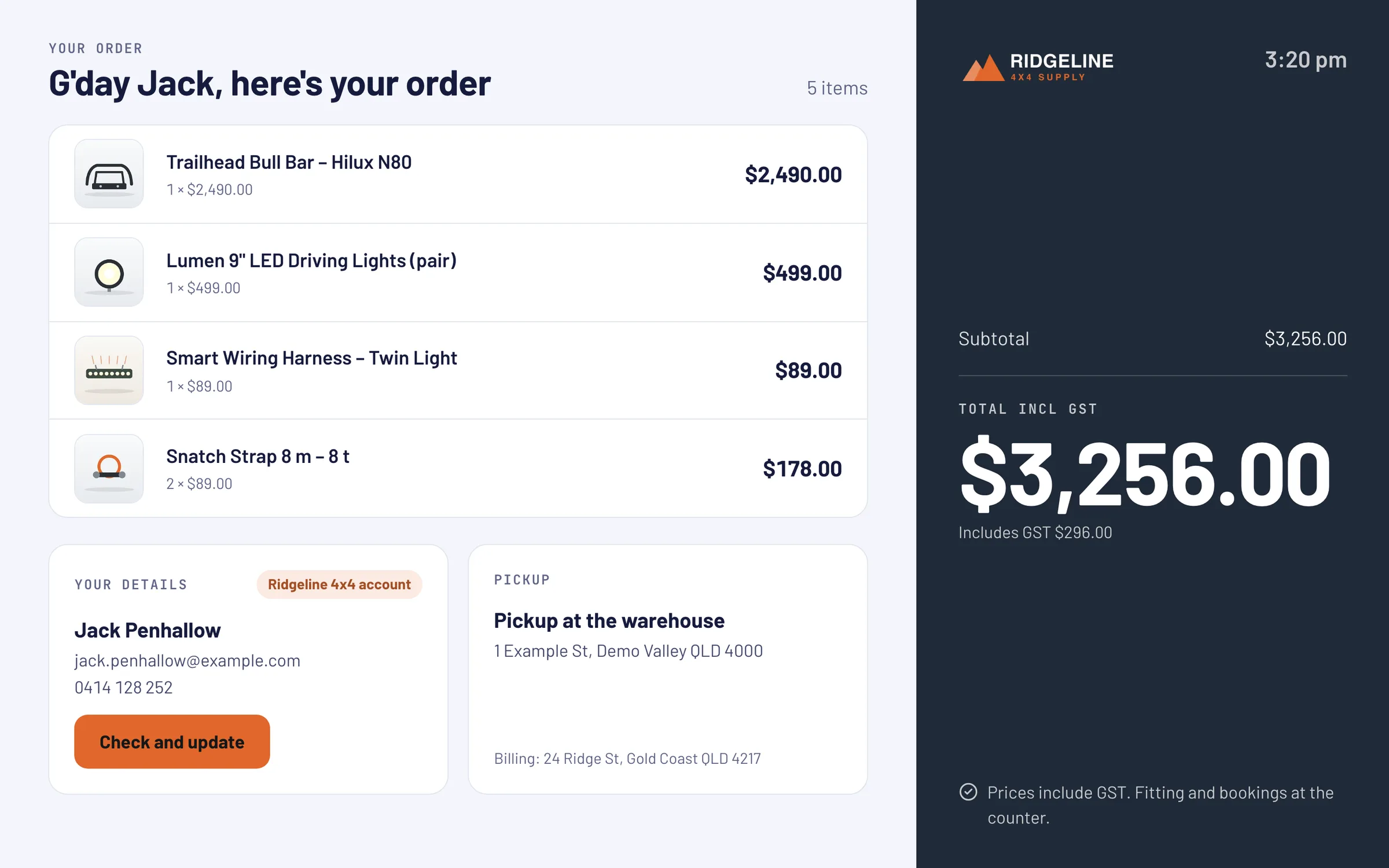
The customer sees what you see
A second screen or a paired tablet follows the sale about a second behind, in your colours. Customers can check and fix their own details on it.
No more paper at the counter
Paid sales and deposits email the customer a receipt with the tax invoice PDF attached. Download or resend it from the order any time.
Paid now, deposit, pay link or quote
Record card, cash, bank transfer or PayPal, take a deposit, or email a pay link for Stripe or PayPal. Quotes come out as a PDF with their own terms.
Regulars earn points here too
With loyalty switched on, counter sales earn points like web orders, matched by email. Points vouchers go straight into the voucher field.
Everyone signs in with their own PIN
Tap your name on the lock screen and type your 4-digit PIN. Roles decide who may refund, change prices or see the numbers.
See the difference at the counter.
Hands on the keyboard, eyes on the customer.
Plug a keyboard into the iPad, or use the one on your computer. These shortcuts work in Juno today. On Windows, use Ctrl where it says ⌘.
- NStart a new sale from any page
- ⌘KSearch products, customers and orders. Type an order number to jump straight to it
- ⌘↵Complete the sale on New sale
- ⌘SSave in the product and blog editors
Keyboard on the iPad? Then N starts a sale from any page. You're welcome.
From paper pad to iPad.
- STEP 1 / SHORT DEMO
See it on your catalogue
We walk you through the counter with your own products, vehicles and customers.
- STEP 2 / WE SET IT UP
Connect your shop
On Neto, Juno connects to your store. Without Neto, Juno keeps the orders, customers and stock itself. We add your staff, services and customer display.
- STEP 3 / EVERY DAY
Sell from the counter
Walk-ins and trade customers on the iPad, the customer display facing them, the invoice in their inbox instead of on paper.
Made for busy mornings at the trade desk.
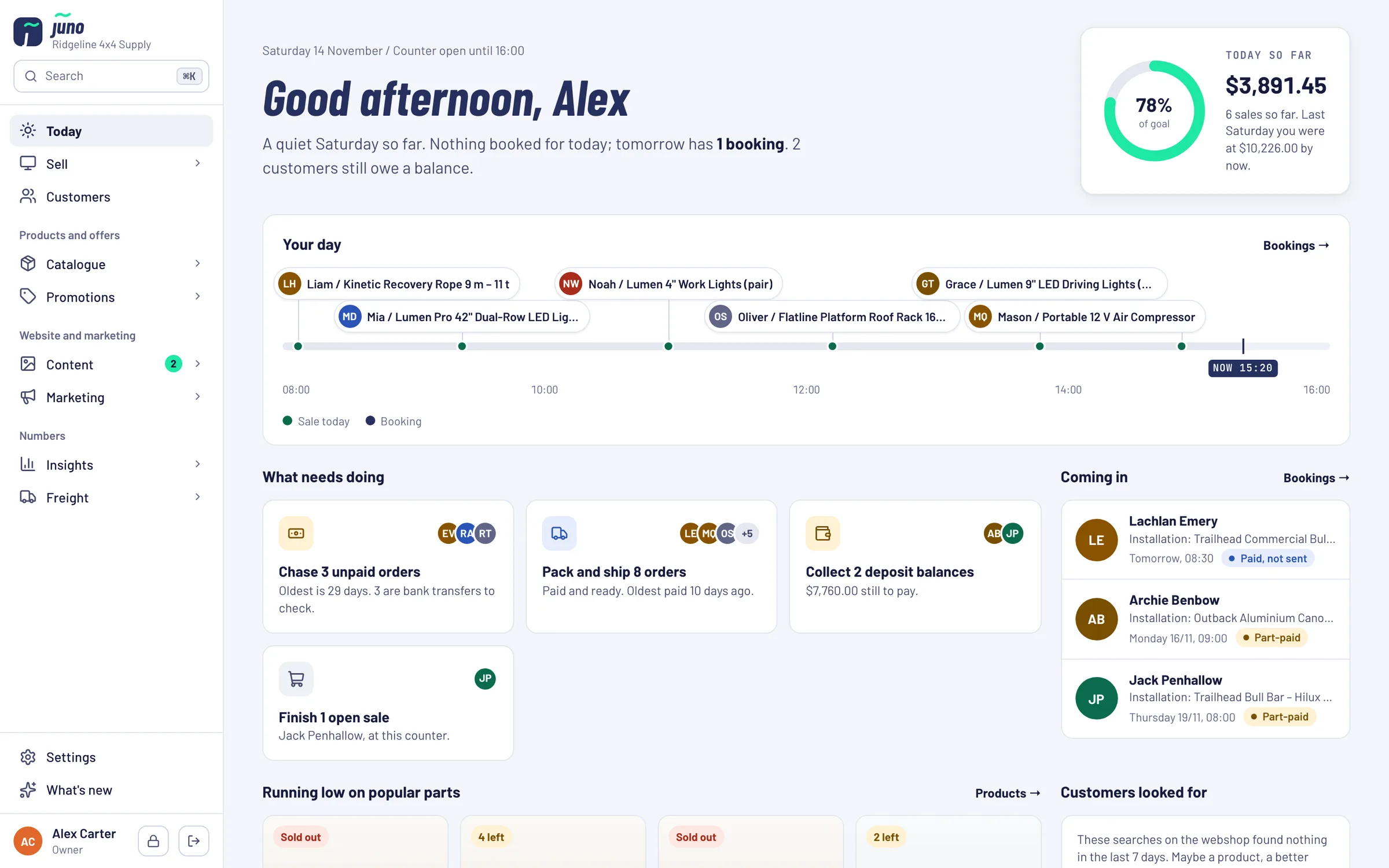
The small things that make every sale a few taps faster.
Want the counter and the website run as one?
Partners get Juno connected to a store we build and run for them, with the trade desk, walk-ins and web orders on one stock.
Just want Juno? Book it on its own: Pricing on request.
Book a Warehouse Walkthrough →Questions about the Juno counter
straight from the trade deskNo. On Maropost (Neto), counter sales go into Neto as orders and Juno refreshes stock and prices from Neto every 15 minutes. Without Neto, Juno keeps your orders, customers and stock itself.
The gear you already own. Juno runs in the browser on an iPad, tablet, PC or Mac, and works with USB or Bluetooth barcode scanners that type the SKU. Any second screen or tablet can be the customer display.
Not directly. Take the card on your terminal as usual and record the payment in Juno. For customers who aren't at the counter, Juno emails a pay link instead (Stripe or PayPal).
Juno needs a connection to complete a sale. Open and parked sales are kept in the browser, so a reload doesn't lose them.
There's no limit on staff. Everyone gets their own login and a 4-digit PIN for the counter, and five wrong PINs lock that person out for five minutes.
Yes. Each sale is a real order with a customer and an email address, which is how the tax invoice lands in their inbox and how loyalty points find them.
Juno is included in the Growth Partnership at no extra cost. You can also book it on its own: pricing is on request, because it depends on your shop and what we connect. Ask us in the demo.
Ready to upgrade your trade counter?
See how Juno fits your counter, on your own products and vehicles.