A finished ad in a minute.
Pick a product and a format. Juno writes the copy in your brand voice, puts the product into a scene and draws the ad with your colours, logo and the exact price. Or turn the same product into a reel.
Every product deserves an ad. Nobody has the time to make them.
Five tools for one post
Photo in one app, text in another, the price typed by hand, the logo dragged in. Then the story version from scratch.
AI that gets the price wrong
Image generators mangle text and invent numbers. One wrong price in an ad and the phone rings all day.
The same supplier photo again
Everyone posts the supplier's white-background shot. Nothing stops the scroll.
Your product, your colours, the right price.
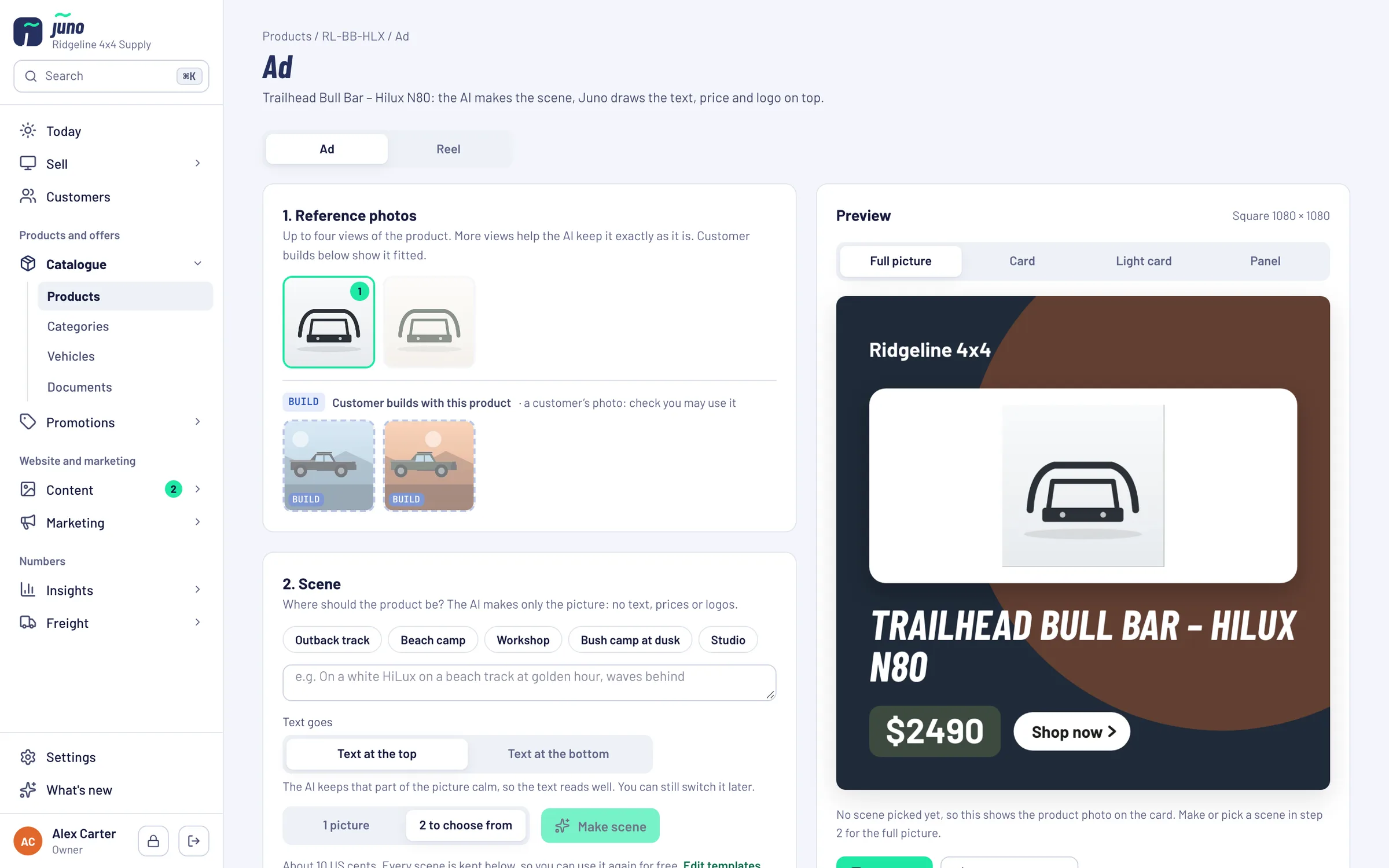
Only the picture comes from AI. The headline, price, badge, button and logo are drawn by Juno in your fonts and colours, so they are always exactly right.
A scene from its own photos
Pick up to four of the product's photos as references, choose a scene template or describe the scene, and the AI makes one or two pictures to choose from.
Real rigs as references
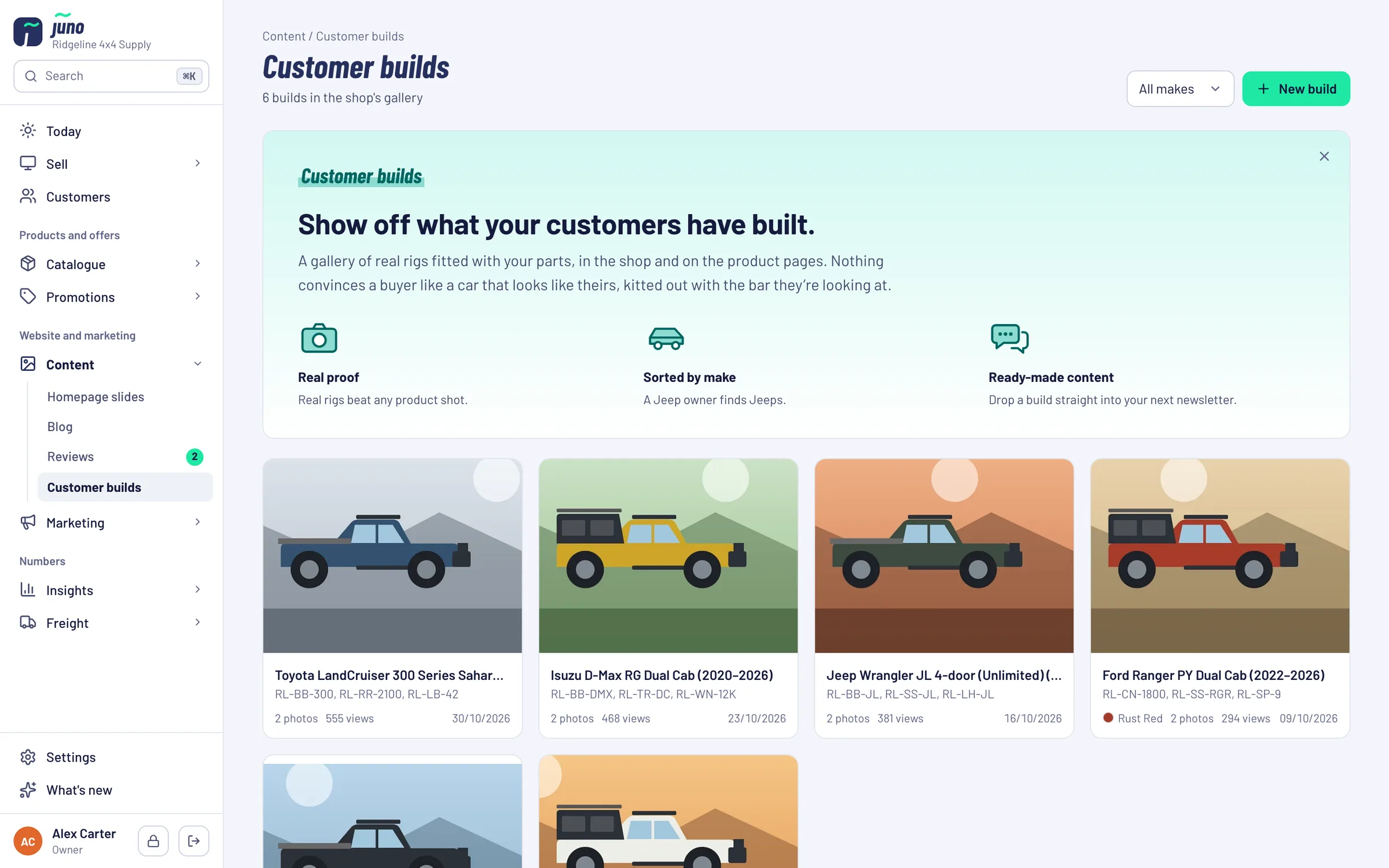
Use photos from customer builds with this product, or on the same vehicle, as references for the scene.
Post, portrait post or story
Facebook post, Instagram post or story. Make a story version later from the same scene.
Short videos, made in the browser
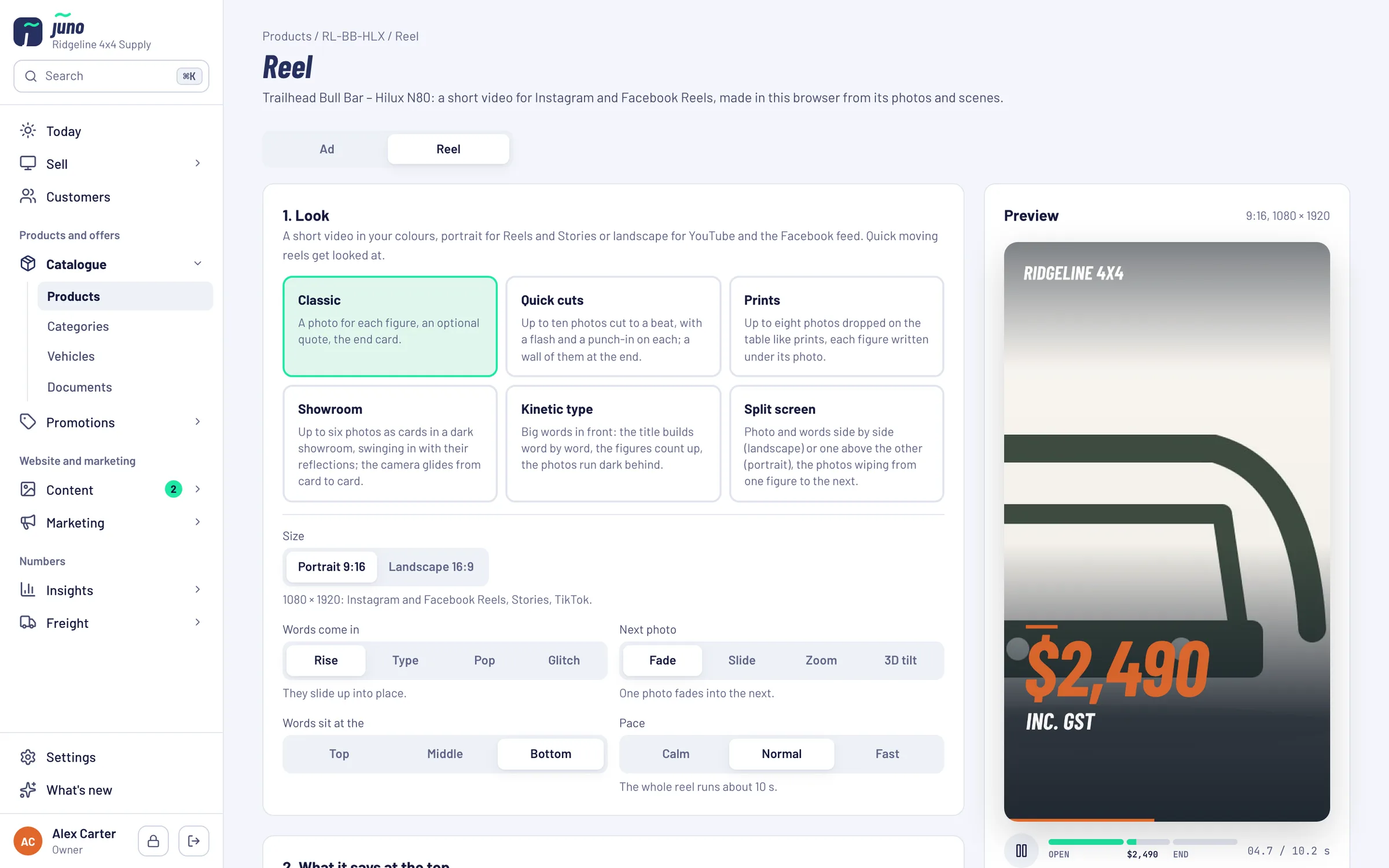
Six looks, from Classic and Quick cuts to Prints and Split screen, in 9:16 or 16:9. Text and photos animate to the pace you pick. The MP4 is made right in your browser.
Drafts in the calendar
Save the ad copy as a draft post on the marketing calendar, for the day you want to post.
From product page to post.
Pick, check, post.
- STEP 1 / PICK
Pick a product and a format
Open the Ad or Reel tab on any product. Choose the format and the photos to start from.
- STEP 2 / MAKE
Let Juno draw it
The AI makes the scene; Juno draws the text, price and logo on top. Move the text, change the shade, edit the words.
- STEP 3 / POST
Save, download, share
Ads and reels are saved with the product. Download them, or share a reel straight from your phone. The caption is ready to copy.
The AI makes pictures. You make the ads.
Always check that the product still looks right. Everything else is drawn by Juno.
Want your ads run for you too?
Partners get social and ads run by us, as part of a store we build and run for them.
Just want Juno? Book it on its own: Pricing on request.
Book a Warehouse Walkthrough →Questions about the Ad studio
no small printAds as a Facebook post (1080 × 1080), an Instagram post (1080 × 1350) or a story (1080 × 1920). Reels in portrait 9:16 or landscape 16:9.
No. You download the ad or reel, or share a reel from your phone straight to Instagram or Facebook, with the caption ready to copy. Add music in Instagram when you post.
A current Chrome, Edge or Safari. The video is made in your browser; nothing is uploaded to make it.
No. The AI only makes the picture. The price, the RRP when it's higher, the headline and your logo are drawn by Juno from the product.
Juno is included in the Growth Partnership at no extra cost. You can also book it on its own: pricing is on request, because it depends on your shop and what we connect. Ask us in the demo.
Turn a product into an ad, live.
Bring the product you want to push this month and we make the ad and the reel in the demo.