
Find out what shipping really costs you.
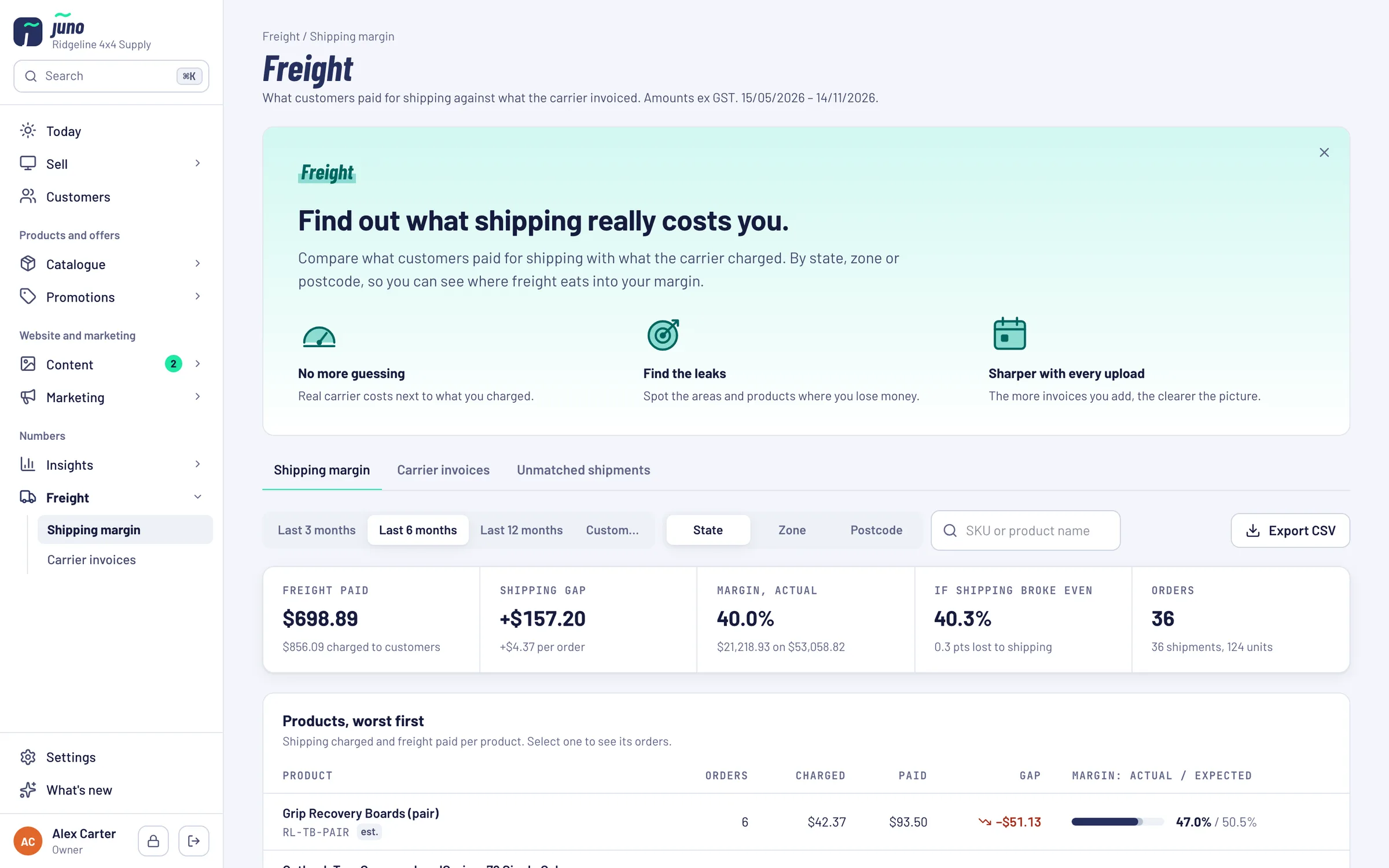
Compare what customers paid for shipping with what the carrier actually charged. By state, zone or postcode, and product by product, so you can see where freight eats into your margin.
Bulky parts, flat shipping rates, a margin that quietly disappears.
The quote is a guess
Shipping quotes on the website are estimates. What the carrier bills a month later is often something else.
Invoices in a spreadsheet
Matching a carrier invoice to orders line by line takes an afternoon, so it rarely happens.
No idea where you lose
Is it the canopies to WA or the brackets to Tassie? Without the numbers per product and area, nobody knows.
Real carrier costs next to what you charged.
Freight paid against shipping charged, the gap, and your margin as it really was next to the margin if shipping broke even. For the last 3, 6 or 12 months, or any period you pick.
Products worst first, areas on a map
The gap by state, carrier zone or postcode, and a grid of each product against each area: red where you lose money on shipping, blue where you make some. Click any square to see the orders behind it.
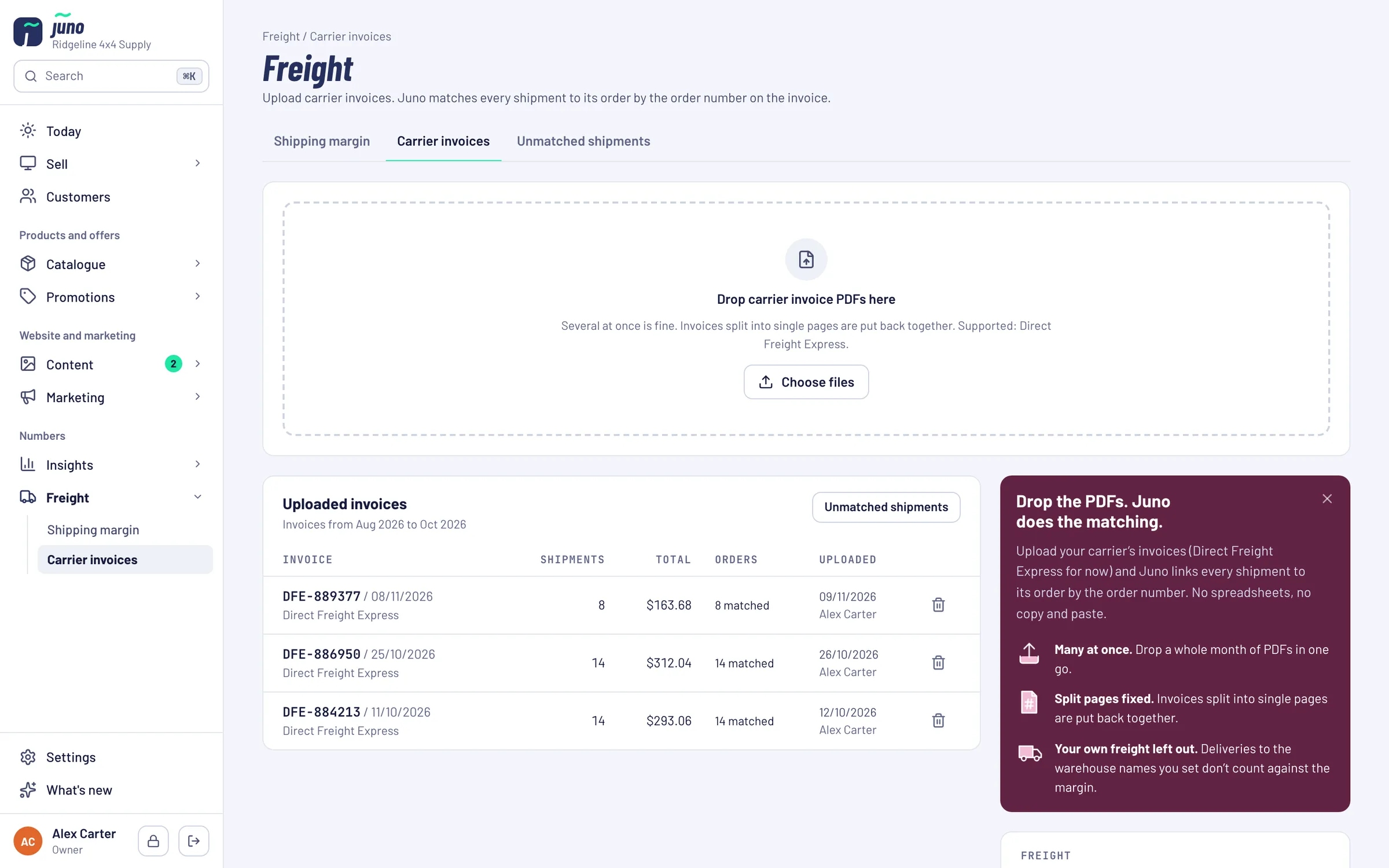
Drop the PDFs, Juno matches them
Upload a whole month of carrier invoices at once. Juno checks they add up and links every shipment to its order by the order number.
Split pages put back together
Invoices split into single pages are joined again. Shipments that match no order are listed, so nothing goes missing.
Left out of the margin
Deliveries to the warehouse names you set don't count against the shipping margin.
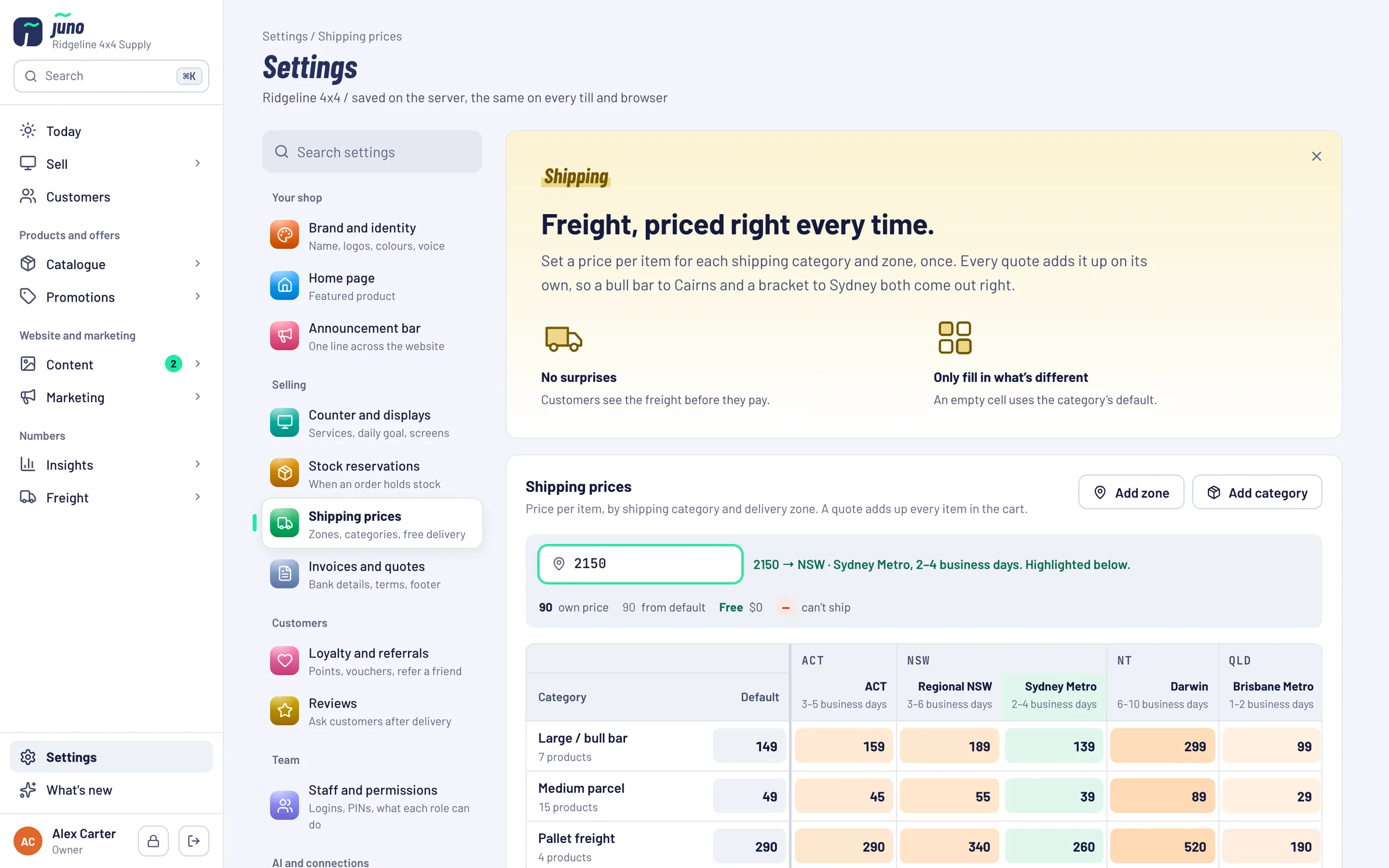
A price grid for shops without Neto
Set a price per item for each shipping category and zone, once. Every quote on the website adds it up on its own.
From carrier PDF to margin per product.
Upload invoices. See the leaks.
- STEP 1 / UPLOAD
Drop the carrier invoices
Your carrier's PDF invoices, a month at a time. Direct Freight Express is supported today.
- STEP 2 / MATCH
Juno matches every shipment
Each line is linked to its order. Where one delivery carried several products, the cost is split by weight and marked as an estimate.
- STEP 3 / FIX
Fix the prices that leak
See the products and areas where shipping costs you, and change what you charge.
Freight, priced right every time.
For shops that keep their own orders instead of Neto: the shipping prices the website quotes, set once in a grid.
Want freight looked at with you?
Partners get Juno set up for their shop and carriers, as part of a store we build and run for them.
Just want Juno? Book it on its own: Pricing on request.
Book a Warehouse Walkthrough →Questions about Freight
short answers, no small printDirect Freight Express invoices today. If you ship with another carrier, ask us in the demo.
People with the Freight and fulfilment permission. Managers have it by default, staff don't, and owners can change that under Staff and roles.
When one delivery carried several products, its freight is split across them by weight. That number is an estimate, and Juno marks it.
No. The grid is for shops that keep their own orders in Juno. Neto shops keep the shipping setup they already have.
Juno is included in the Growth Partnership at no extra cost. You can also book it on its own: pricing is on request, because it depends on your shop and what we connect. Ask us in the demo.
Find out where freight eats your margin.
In the demo we walk through the shipping margin with demo data and show how carrier invoices are matched.